Curriculum
Public curriculum
An overview of every AI Agent Camp module. Full lesson content is for members; here we publish module names, summaries, and durations only.
Foundation
Module 1
AI & LLM Fundamentals
Learn the basics of LLMs, tokens, and core AI concepts
About 40 min
Module 2
Prompt & Context Design
Understand context engineering and RAG fundamentals
About 45 min
Module 3
Agent Architecture
Learn about AI agents, sub-agents, and hallucination mitigation
About 70 min

Module 4
Security & Safety
Master security fundamentals and hooks & guardrails
About 59 min
Module 5
Tool Operation Basics
Practice using Cursor, Claude Code, and Codex hands-on
About 48 min

Module 6
Multimodal, MCP & Extended Thinking
Learn multimodal AI, MCP integration, and Extended Thinking
About 45 min
Module 7
Git/GitHub Fundamentals
Learn version control basics, Git operations, avoiding dangerous commands, and safe collaboration with AI agents
About 43 min
Module 8
Terminal Basics
Learn terminal concepts, GUI vs CLI, basic commands, and dangerous operations
About 26 min

Module 9
Saving Tokens and Managing Cost in Claude Code
Learn model selection, prompt caching, context management, and cost design through delegation
About 48 min
Module 10
ultraplan and Planning Techniques
Use Plan Mode and ultraplan effectively to plan before implementation
About 26 min
Module 11
Dynamic Workflows — task-specific orchestration
Design role separation, parallel research, and adversarial verification, and confirm availability in your current environment.
About 64 min
Module 12
/loop and /schedule — local monitoring and cloud jobs
Separate local session monitoring from cloud jobs and use explicit stop conditions for safe recurring execution.
About 54 min
Module 13
MCP: connect external tools (Microsoft 365)
Connect Claude to Outlook, Teams, SharePoint and Excel to use your internal information across tools.
About 65 min

Module 14
Folder structure & making files findable for AI
How to organize local folders, name files, and ask AI to find your materials.
About 56 min

Module 15
Measuring AI Agents
Read session logs and traces, then use OpenTelemetry to measure automatically and drive improvements.
About 60 min
Module 16
Feasibility Assessment
Use a short three-step test to decide what AI can own and whether to implement it as a Command, Skill, or SubAgent.
About 25 min
Core
Module 0
Environment Setup
Install and configure your development environment
About 65 min
Module 1
Banner & Image Generation
Generate banners and images using AI
About 95 min
Module 2
Diagrams & Flowcharts
Create diagrams and flowcharts
About 95 min

Module 3
Create Tutorials with AI Agent
Give AI eyes to auto-generate tutorials from screenshots and videos
About 50 min
Module 4
Google Workspace
Automate workflows with Google Workspace
About 185 min
Module 5
PowerPoint Operations
Create and edit presentations
About 60 min
Module 6
Agent Development
Learn AI agent development techniques
About 60 min
Module 7
Skill/Commands Development
Learn Skill/Command architecture and development
About 60 min
Module 8
Data Analysis
Analyze and visualize data
About 180 min

Module 9
Slack Integration
Build Slack integration features
About 50 min

Module 10
Google Apps Script
Build automation with GAS
About 30 min

Module 11
GitHub Actions
Build CI/CD pipelines
About 45 min

Module 12
Notion CLI (ncli)
Use the Notion CLI from the terminal with OAuth and agent-friendly workflows
About 130 min
Module 13
LP/Website Creation
Create landing pages and websites
About 45 min

Module 14
Article Writing
Create blog posts and documentation
About 45 min

Module 15
Video Generation
Generate video content using AI
About 180 min
Module 16
Email Automation
Build email automation workflows
About 150 min

Module 17
Marketing
Streamline marketing with AI
About 120 min
Module 18
PM & System Requirements
Project management and requirements definition
About 480 min
Module 19
Microsoft 365 integration (CLI + desktop)
Set up the m365 CLI, operate core services, and use desktop Outlook in practice
About 120 min
Module 20
Freee/MoneyForward Integration
Learn accounting data operations and automation using Freee MCP server
About 60 min

Module 21
Figma Integration
Learn design data operations and automation using Figma MCP
About 60 min

Module 22
Discord Integration
Build Discord Bots and learn message automation
About 60 min

Module 23
LINE Integration
Build LINE Bots using the LINE Messaging API
About 60 min

Module 24
Salesforce Integration
Learn CRM data operations and automation using the Salesforce API
About 60 min

Module 25
Google Ads Integration
Learn automation for Google Ads API campaign queries, reporting, and creation
About 60 min
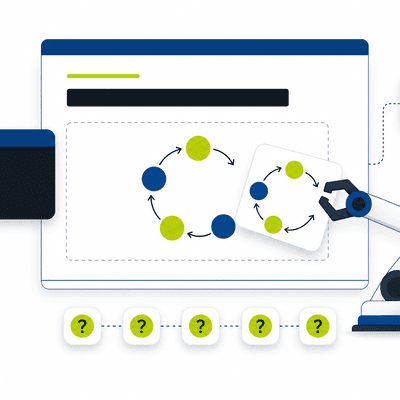
Module 29
slide-forge Setup
Learn how to set up and use the OSS tool that turns meeting notes into editable proposal decks
About 25 min
Lesson (hands-on labs)
Module 1
Exercise 1: Build a diagram four ways (blind / ask / plan / ultracode)
Build the same workflow diagram four ways and feel the quality climb 8 → 15 → 16 → 20 as you stack asking, planning, and ultracode.
About 20 min
Module 2
Exercise 2: Run multiple sessions at once
Run independent tasks in parallel across multiple sessions in your selected tool while managing wait time and edit conflicts.
About 15 min
Module 3
Lesson 3 Research → verification → proposal deck
Build a reproducible path from primary research through a Semantic INDEX and WBS to a proposal deck and judge results.
About 45 min
Module 4
Lesson 4 PMO recurring operations
Combine Commands, Skills, and SubAgents to produce verifiable weekly reports and three-view QA.
About 40 min
Start learning hands-on
A preconfigured environment so non-engineers can start using AI agents today.
Start learning