
"I know we should be doing social, content, and email — there just aren't enough hours." The real bottleneck for marketers is volume and speed of execution.
This article explains how to automate marketing work with AI agents — social posts, SEO audits, copywriting, and email campaigns. The content is based on the marketing and email automation modules of our corporate training and online course.
What you will learn
- What AI marketing is and why it changes volume and speed
- Generating X posts and banners as a set
- Scheduling social posts with Typefully
- AI-driven SEO audits and keyword strategy
- Copywriting for landing pages and feature pages
- Email delivery and drip campaigns with Resend
- How to combine the pieces and where to start
What is AI marketing?
AI marketing means using AI to streamline and automate marketing work — content creation, analysis, and distribution. AI supports every stage: generating social copy, copywriting, SEO optimization, and design mockups.
The biggest value is the drastic reduction in time from idea to artifact. What matters in marketing is volume and speed — with AI you can test ten copy variations in a day and double down on what resonates. The faster the experiment cycle, the higher your odds of finding a winner.
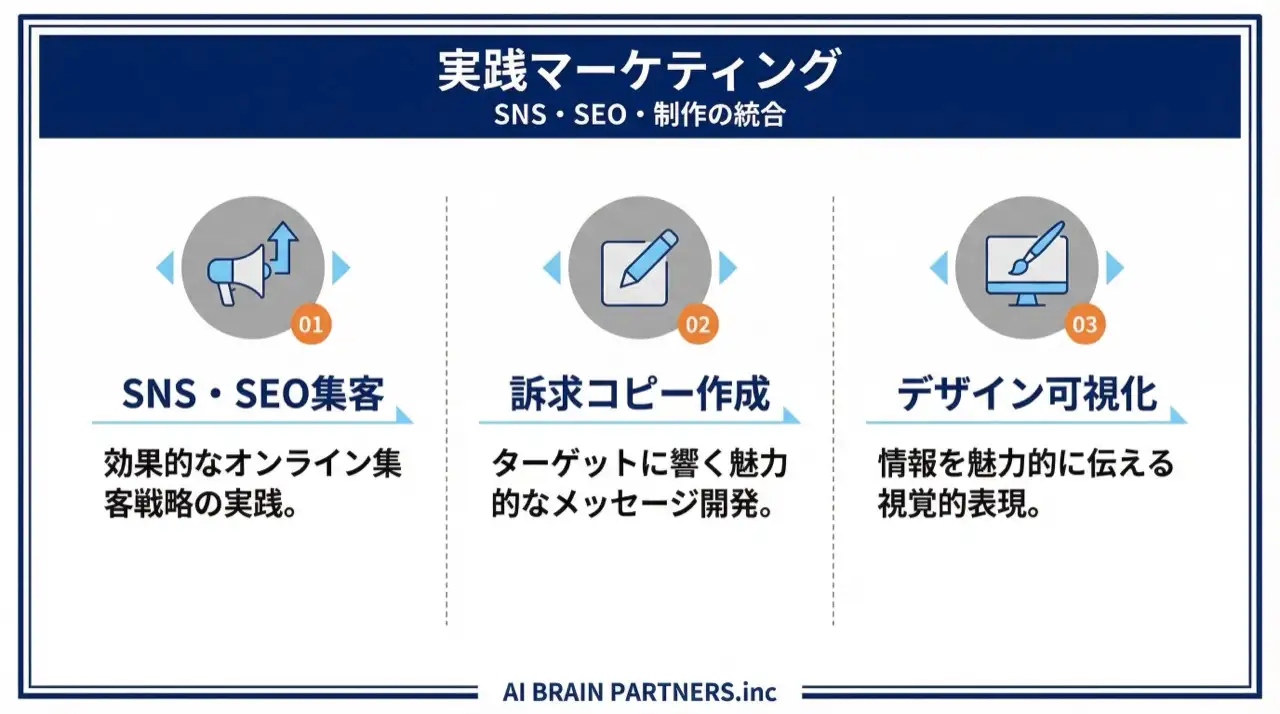
Generate X posts and banners as a set
The first step in social automation is creating post text and visuals together. Ask an AI agent for a product announcement and you get the full set at once:
- Three post text variations tuned to the target audience
- Hashtag and posting-time suggestions
- A promotional banner sized for X (e.g., 1200x675px)
Generating multiple options and letting a human pick and blend keeps quality high while collapsing production time. For banner mockups, the course uses a design tool the agent can operate via MCP (Pencil), laying out 1200x628px ad creatives and iterating via screenshots.
Scheduling X/Threads posts with Typefully
Hand-pasting posts isn't automation. The course uses Typefully, a posting-management platform for X and Threads:
- Create, schedule, and publish posts from one place
- Thread-style sequential posts and simultaneous cross-posting to X and Threads
- Post performance analytics
- API support, so AI agents can post automatically (API access is on paid plans)
The end-to-end loop becomes: AI drafts the posts, Typefully schedules them, analytics feed the next round. It also fixes the irregular posting cadence that plagues manual operations.
AI-driven SEO audits and keyword strategy
Content acquisition starts with a health check of your site. Delegate an SEO audit to an AI agent and you get a prioritized report covering:
| Audit area | What gets checked |
|---|---|
| Technical SEO | Page speed, mobile friendliness |
| On-page SEO | Meta tags, heading structure |
| Structured data | Markup status |
| Recommendations | Prioritized fix list |
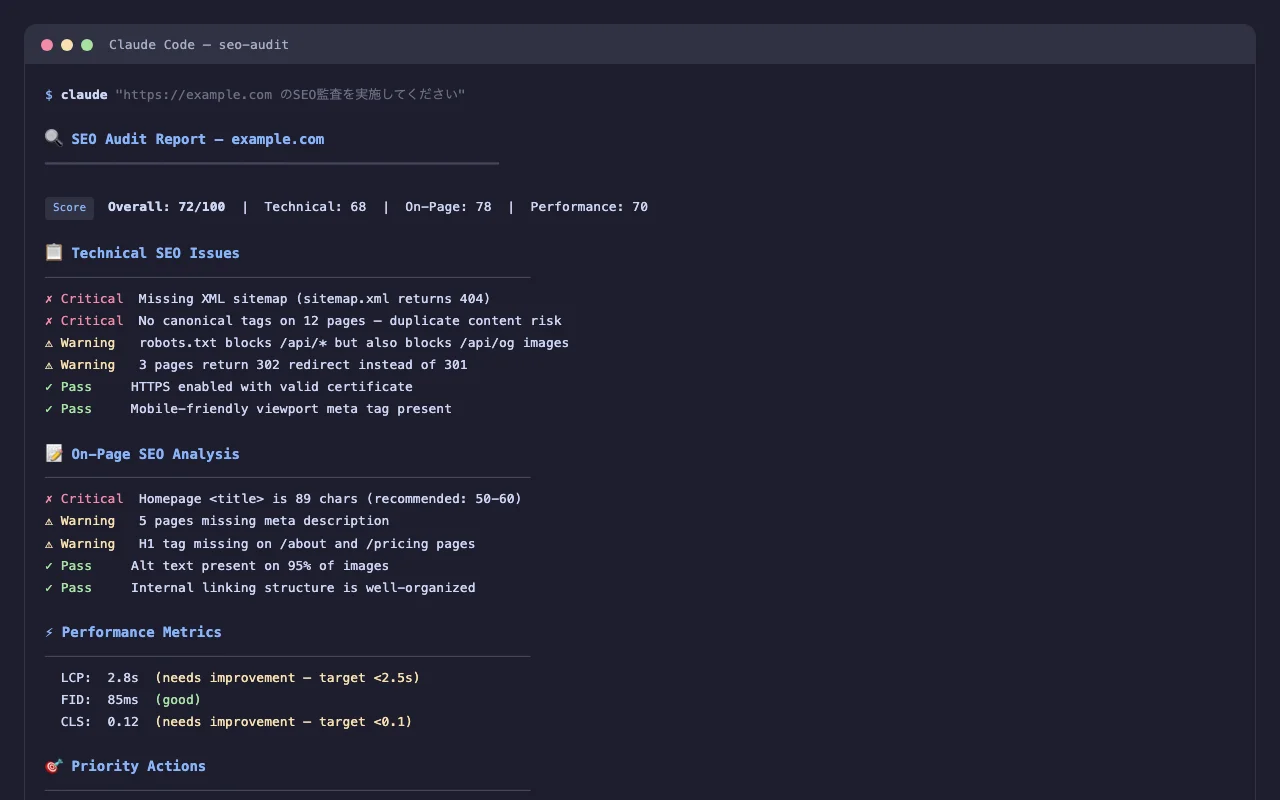
Going further, programmatic SEO — mass-generating targeted pages (directory pages, comparison pages) from templates plus data — shifts keyword strategy from "write one article at a time" to "capture whole surfaces structurally."
Copywriting: sharpening the words on your LP
Copy for landing pages and feature pages is a natural AI strength. Hand over a concept and the agent generates, in multiple variants:
- Three hero copy (headline) options
- Subcopy
- The problem-to-solution narrative
- Feature and benefit messaging
- Two CTA button text options
The trick is to always generate multiple variants and feed them into A/B testing. Copy quality can't be judged in advance, so the number of options is your improvement speed. To turn the copy into an actual page, see Building Landing Pages with AI.
Email: from transactional sends to drip campaigns with Resend
Email automation starts by distinguishing two email types.
| Type | What it is | Examples |
|---|---|---|
| Transactional email | One-to-one emails triggered by user actions | Password resets, order confirmations |
| Marketing email | Campaign emails to many recipients | Newsletters, drip campaigns |
The course uses Resend, a developer-friendly email platform. You send via API or SDK with no SMTP server to build, and the free plan covers up to 100 emails per month.
Setup overview:
- Create an account at resend.com
- Add the domain you'll send from (with region selection)
- Configure SPF, DKIM, and MX records in DNS — if your domain is managed on Vercel, "Auto configure" sets them automatically
- After domain verification, create an API key with minimal permission (Sending Access) and send
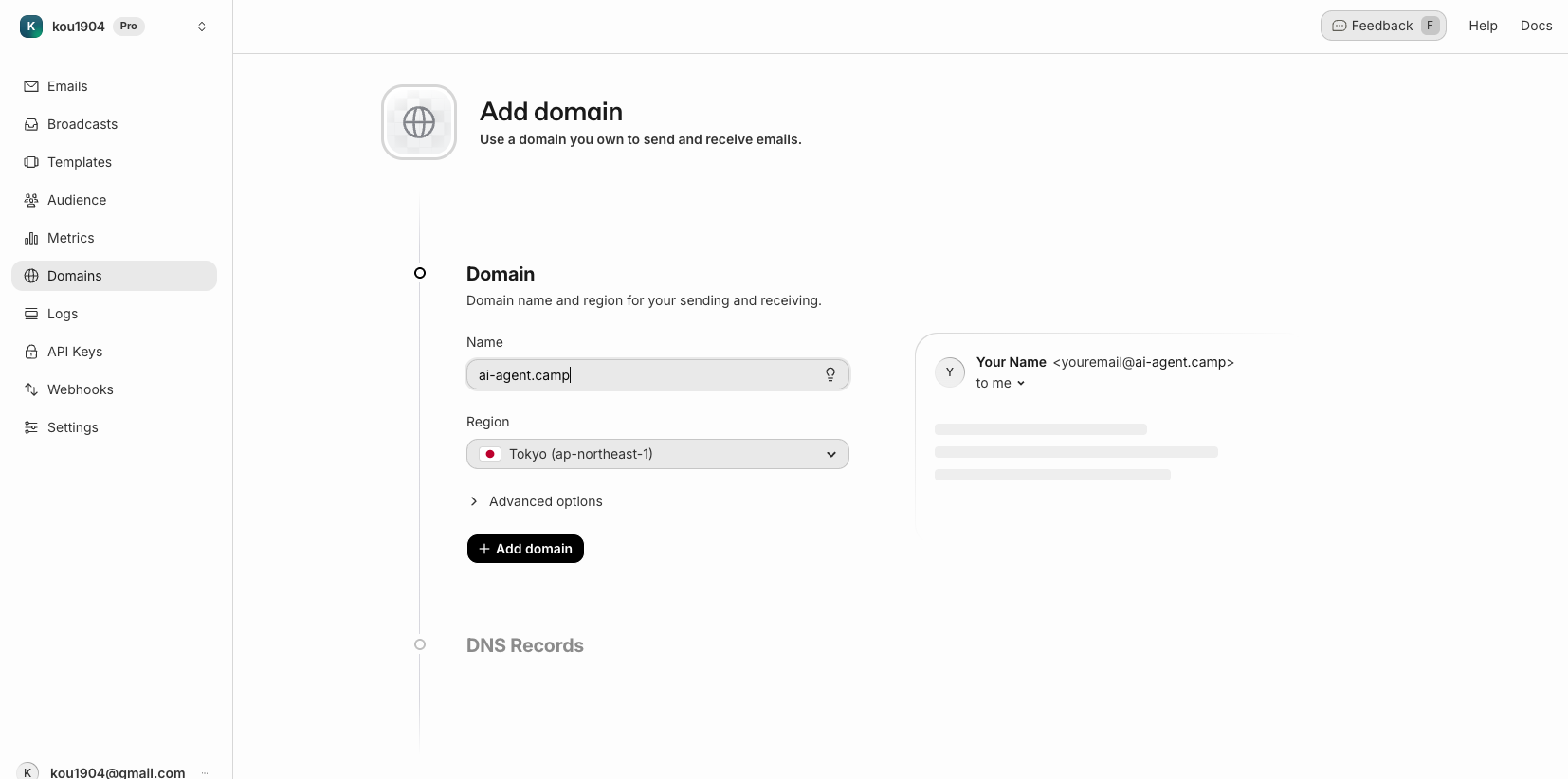
Email authentication (SPF, DKIM, DMARC) exists to prevent spoofing and improve deliverability. Correct setup keeps you out of spam folders and protects your brand from phishing.
Drip campaigns: automating staged delivery
A sequence (drip campaign) automatically sends emails at preset intervals, triggered by an event such as a sign-up or purchase. The course designs a four-email welcome sequence (Day 0/3/7/14) with Resend's Sequences feature:
- Day 0: Welcome email — service overview and next steps
- Day 3: Usage guide — key features to drive engagement
- Day 7: Success stories — other users' examples to demonstrate value
- Day 14: Feedback request — a survey that feeds improvement
Best practice is to start with a simple 3–4 email sequence and iterate based on open and click rates.
Combining the pieces — and where to start
Each tactic works alone, but the real power is the combination:
- Generation (copy, posts, banners) goes to AI; humans select and fine-tune
- Distribution is scheduled through Typefully (social) and Resend (email)
- Analysis (SEO audits, post performance) runs regularly and feeds the next round
Once this generate → distribute → analyze loop runs weekly, your experiment count moves to another level. For running the analysis and reporting on a schedule, pair this with Running AI Agents on a Schedule with GitHub Actions. For the team-wide playbook on agents, see The Complete Guide to AI Agents for Business.
One caution: email sending cannot be undone. Always test against your own address first, and keep API keys in .env files — never committed to Git.
Frequently asked questions
Q. Can AI-generated posts and copy be used as-is? A. We recommend a "generate multiple variants → human selects and fine-tunes" workflow. AI's strength is the volume and speed of trying dozens of variations a day; the final call belongs to a human who knows the brand and context. Treat hashtag and timing suggestions the same way — check them against your own performance history.
Q. Do I need my own server for email automation? A. No. An email platform like Resend lets you send via API/SDK without building an SMTP server. Domain authentication (SPF/DKIM) is configured from the dashboard, and if your domain is managed on Vercel, Auto configure sets the DNS records for you. The free plan covers up to 100 emails per month.
Q. How many emails should a drip campaign start with? A. Start with a simple sequence of three to four emails — for example welcome (Day 0), usage guide (Day 3), success stories (Day 7), and feedback request (Day 14) — then tune the count and intervals based on open and click rates.
Q. What does an AI SEO audit actually tell me? A. It analyzes technical SEO (page speed, mobile friendliness), on-page SEO (meta tags, heading structure), and structured data status, then outputs prioritized recommendations. An inventory that takes days by hand runs in a fraction of the time, so the effective pattern is auditing on a schedule and cycling fix → re-audit.
Q. Can a non-engineer marketer set all this up? A. Yes. Post generation, copywriting, and SEO audits run on natural-language instructions to an AI agent, and Typefully and Resend are configured mostly through their dashboards. Master one basic rule — handle API keys safely (never paste them in chat; manage them in .env) — and you can build the generate → distribute → analyze loop without writing code.
Related articles
- Building Landing Pages with AI: From Messaging to Vercel Deploy
- Running AI Agents on a Schedule with GitHub Actions
- Slack + AI: Semantic Search, Task Extraction & Unanswered Checks
- The Complete Guide to AI Agents for Business
- Corporate AI Agent Training (Hands-on)
Related services
Ready to put AI agents to work?
Turn what you just read into real workflows. AI Agent Camp helps non-technical professionals go from using to building — hands-on.
Last reviewed: 2026-06-10