
"I know that discussion happened somewhere in Slack, but I can't find it." "I missed a mention again and someone had to chase me." The more Slack becomes the center of internal communication, the more search and reply management become daily bottlenecks.
This article explains how to use AI agents to search, analyze, and manage the messages piling up in Slack, organized around four use cases: semantic search, task extraction, unanswered-message checks, and a unified inbox. We also cover the Slack API token and permission design you need first, written for non-engineers. The content is based on the Slack search and analysis module of our corporate training and online course.
What you will learn
- What semantic search is and how it differs from keyword search
- The four things Slack + AI can do (search, task extraction, unanswered checks, unified inbox)
- Slack API basics — User Tokens vs. Bot Tokens
- Scope design and the principle of least privilege
- Safety measures when letting an AI agent touch Slack (dry runs, separating send permissions)
- Practical caveats: rate limits, private channels, and API changes
What is semantic search? Finding messages by meaning, not keywords
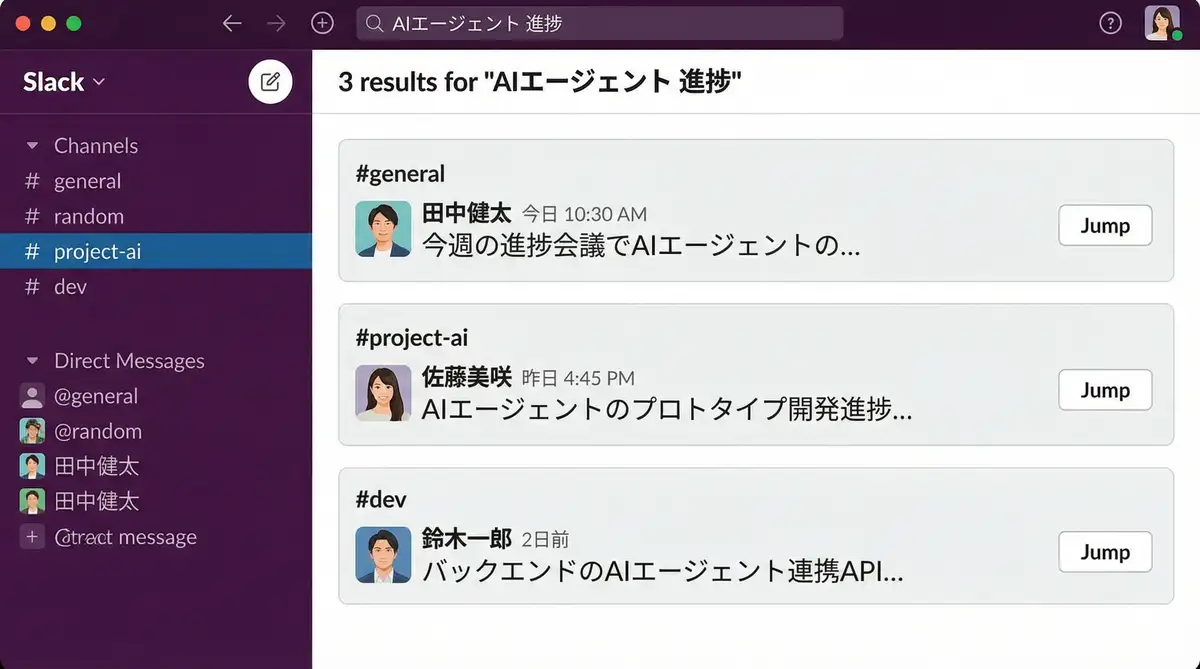
Semantic search is a search technique that finds information based on "meaning" rather than exact keyword matches. Because it understands context, it surfaces messages that traditional search would miss.
Even a vague request like "the discussion about last month's sales" can retrieve the relevant Slack messages. It absorbs synonyms and different phrasings, which solves the classic "it's in here somewhere but I can't find it" problem of internal knowledge.
| Aspect | Keyword search (Slack default) | Semantic search |
|---|---|---|
| Match criterion | String match | Closeness in meaning and context |
| Robust to rephrasing | Weak (different wording slips through) | Strong (synonyms still match) |
| Vague requests | Struggles | Works with "discussions about X" |
| Result shape | Individual messages | Whole-thread context included |
When combined with an AI agent, a practical setup indexes Slack messages hierarchically (our course uses a BookRAG-based index) and returns structured results that include channel name, author, and timestamp.
Four things Slack + AI can do
Slack-connected AI work falls into four main use cases.
| Use case | What it does | Business impact |
|---|---|---|
| Semantic search | Search past discussions by meaning across channels | Less time hunting for information |
| Task extraction | Auto-extract TODOs and action items from conversations | No dropped tasks; visible priorities |
| Unanswered checks | Detect unreplied mentions and stalled threads | No more forgotten replies |
| Unified inbox | Pull reply-needed items from email and Slack together | One place to check everything |
Task extraction — collecting action items automatically
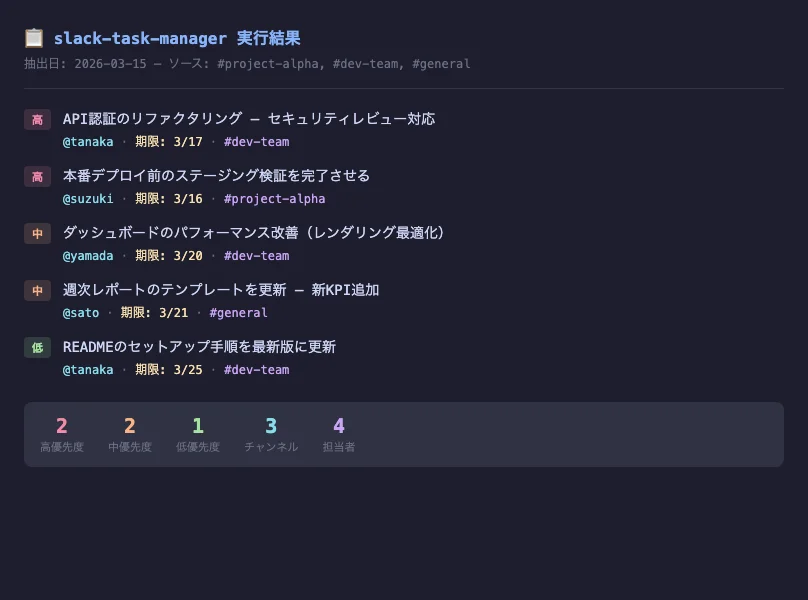
Slack conversations bury tasks everywhere: "could you handle this," "by next week, please." Let an AI agent sweep mentions, reactions, and threads, and it can detect the tasks relevant to you, score their priority (high/medium/low), and output a Markdown list with deadlines and owners. Because the output is Markdown, you can feed it straight into project management.
Unanswered checks — catching forgotten replies in one pass
The agent detects "messages where you were mentioned but never replied" and "threads you started that are waiting on you," then lists them organized by channel and date. Run it every morning and communication slippage drops to nearly zero.
Unified inbox — email and Slack in one sweep
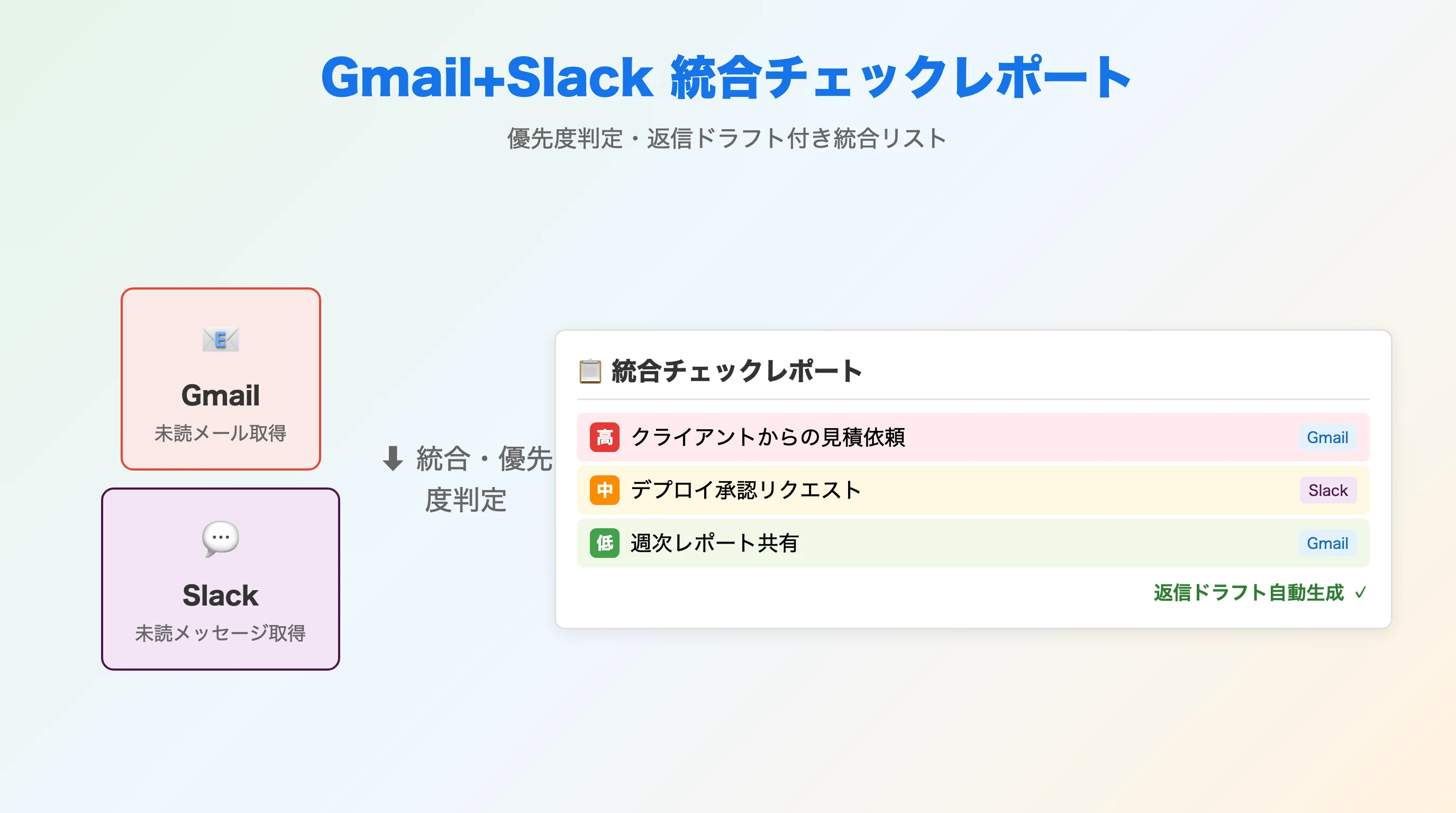
Slack isn't the only place replies pile up. Pull unanswered messages from both Gmail and Slack, let the AI judge context (our course uses Gemini 3 Flash), and you get priority scoring plus auto-generated reply drafts — automating even the "where do I start?" decision.
Prerequisite: Slack API has two kinds of tokens
To build any of this, you create a Slack app and obtain API tokens. The first thing to understand is that there are two token types with different jobs.
| Item | User Token (xoxp-) | Bot Token (xoxb-) |
|---|---|---|
| Acts as | The user themselves | The bot (app) |
| Message search (search.messages) | Available | Not available |
| Access range | Every channel the user has joined | Only channels the bot was invited to |
| Best for | Read-side analysis: search, task extraction | Sending messages, adding reactions |
Cross-channel analysis like message search and task extraction requires a User Token. A Bot Token alone may lack the necessary permissions.
Getting a token roughly follows this flow:
- Create a Slack app from "Create New App" at api.slack.com/apps
- Add the required scopes (permissions) under "OAuth & Permissions"
- Authorize the app into your workspace via OAuth (e.g., Install to Workspace) — this is what issues the token
- Store the token somewhere safe such as
.env(never in chat, screenshots, or Git)
In company workspaces, admins often restrict custom app installs. If so, request approval from your workspace administrator.
Permission design — stick to least privilege
When an AI agent touches Slack, scoping down permissions is the lifeline of safe operations.
- Excess permissions are a security risk — with write permission, an agent could accidentally send real messages
- Principle of least privilege — choose only the scopes you need; don't grant unnecessary write scopes
- Separate tokens by role — a read-only User Token for analysis and a separate Bot Token for sending minimizes the blast radius of any accident
Typical scopes look like this (not a required set — confirm per API method in the official docs):
| What you want to do | Example scope |
|---|---|
| Search messages | search:read (User Token scope) |
| Read public channel history | channels:history |
| Read private channel history | groups:history |
| Read DM history | im:history |
| Send messages / reply in threads | chat:write etc. |
Safety for sending: confirm with a dry run first
Search and analysis are read-only and low risk. Sending messages (chat.postMessage) cannot be undone. If you delegate posting or thread replies (via thread_ts) to an agent, use a two-step guard:
- Dry-run mode — have the agent output "what would be sent where" without actually sending, and a human confirms before execution
- Test workspace / permission-separated tokens — validate send automation in a contained environment before production
Starting with "reads are automated, sends require human approval" is the standard playbook for agent adoption. For a framework on how much autonomy to grant, see the six levels of AI autonomy in The Complete Guide to AI Agents for Business.
Practical caveats
- Rate limits — Slack APIs are rate-limited (the search tier used in our course is Tier 3: 50+ requests/minute). Space out bulk retrieval
- Private channels — require additional permissions
- Initial sync time — large workspaces take a while to index on the first sync
- Slack API changes — from March 3, 2026, Slack applies additional API access restrictions to apps not published on the Slack Marketplace. If you run internal custom apps, check the Slack API Changelog for the latest
- Governance — decide upfront who owns tokens and approvals; see AI Agent Governance for how to structure this
If you want these Slack checks to run automatically every morning, scheduled execution with GitHub Actions is the natural next step — see Running AI Agents on a Schedule with GitHub Actions.
Frequently asked questions
Q. How is semantic search different from Slack's built-in search? A. Slack's built-in search matches keywords, while semantic search finds messages by closeness of meaning, so rephrasings and synonyms still match. Even a vague request like "conversations about the AI rollout progress" returns relevant messages with channel name, author, and timestamp included.
Q. Is a Bot Token (xoxb-) enough? A. It depends on the job. Sending messages and adding reactions work fine with a Bot Token, but message search via search.messages is unavailable to bots and requires a User Token (xoxp-). Cross-channel analysis like task extraction can also fall short with a Bot Token, since bots only see channels they were invited to.
Q. I'm worried the AI will post to Slack on its own. How do I prevent that? A. First, if you only need read-side analysis, simply don't grant write scopes like chat:write. Second, when you do delegate sending, require a dry-run step where a human reviews the exact content before execution. Separating read and send tokens also keeps the blast radius of any accident small.
Q. Can non-engineers set this up? A. Yes. Creating a Slack app and configuring scopes is mostly point-and-click, and once tokens are in place, search, task extraction, and unanswered checks are all driven by natural-language instructions to the AI agent. Start with read-only search and analysis, then move to send-side automation once your operations mature.
Q. Can I run the unanswered-message check automatically every morning? A. Yes. The typical foundation is GitHub Actions scheduled execution (cron): run the unanswered check or unified inbox sweep at a fixed time each morning and deliver the results as a notification. Search and task extraction can run on the same schedule.
Related articles
- Running AI Agents on a Schedule with GitHub Actions
- AI Marketing Automation: Social Posts, SEO Audits & Email
- What Is Generative AI? A Business Guide to LLMs and AI Agents
- The Complete Guide to AI Agents for Business
- Corporate AI Agent Training (Hands-on)
Related services
Ready to put AI agents to work?
Turn what you just read into real workflows. AI Agent Camp helps non-technical professionals go from using to building — hands-on.
Last reviewed: 2026-06-10